
How Do I Download My Card?Updated 2 months ago
After completing your course and the CME/CE Registration Form in the final Course Completion Information module, your digital card will be generated for download on your account. The card will also be flagged to print and ship to the address you provided during the CME Registration and typically arrives within 7-10 business days.
After signing in to your account:
You can find your card directly from your "My Courses" Dashboard. First, click on the appropriate course.
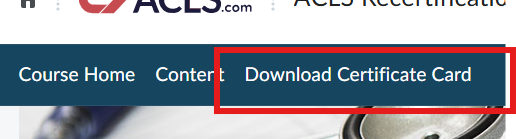
You will then be brought to a landing page for the course. Click on Download Certificate Card.
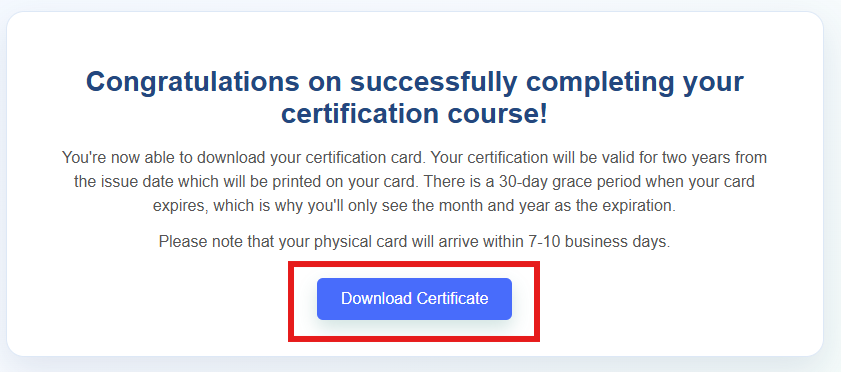
 Once you click on the link, you'll receive a Congratulations message appear where you're able to click on Download Certificate.
 If you have not completed the CME/CE Registration Form in the final Course Completion Information module, you will not see the Congratulations message.
Keep in mind that the didactic certificate available on your account simply shows proof of course completion and does not serve as a CE certificate or certification card. This certificate is not normally needed by employers. Click here for information on obtaining your CME certificate.
Finished the course, but can't find your card? CLICK HERE